> ## Documentation Index
> Fetch the complete documentation index at: https://help.emaqi.com/llms.txt
> Use this file to discover all available pages before exploring further.
# Mission 2: Unlock 1 chapter using “Wait Until Free”
> Earn 20 Coins by unlocking and reading 1 chapter with the Wait Until Free feature.
 ## Mission overview
**Goal**: Unlock 1 "Wait Until Free" chapter!
**Reward**: 20 Coins
**What is Wait Until Free?**
With the "Wait Until Free" feature, you can unlock one free chapter from each series every 23 hours. There's no daily limit on how many series you can use it with, so if you're reading several titles, you can unlock one chapter per series each day. Look for the clock icon to find eligible series, and once unlocked, each chapter stays free for 72 hours—giving you plenty of time to enjoy at your own pace.
## How to complete this mission
### Step 1: Find comics with "Wait Until Free"
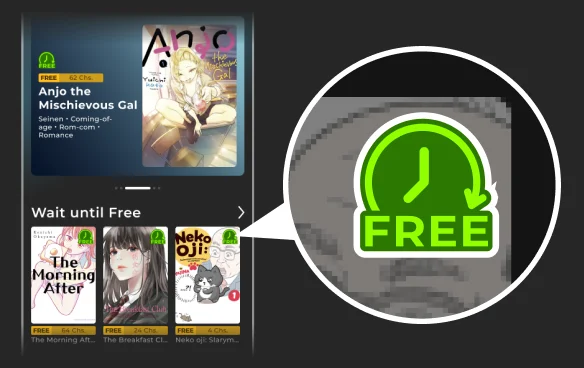
1. Go to the **Home** tab
2. Look for the [**"Wait Until Free!!" section**](https://emaqi.com/themes/free-chapters-everyday) or comics with "Wait Until Free" icons
3. Select a comic with the "Wait Until Free" icon and go to the comic details page
## Mission overview
**Goal**: Unlock 1 "Wait Until Free" chapter!
**Reward**: 20 Coins
**What is Wait Until Free?**
With the "Wait Until Free" feature, you can unlock one free chapter from each series every 23 hours. There's no daily limit on how many series you can use it with, so if you're reading several titles, you can unlock one chapter per series each day. Look for the clock icon to find eligible series, and once unlocked, each chapter stays free for 72 hours—giving you plenty of time to enjoy at your own pace.
## How to complete this mission
### Step 1: Find comics with "Wait Until Free"
1. Go to the **Home** tab
2. Look for the [**"Wait Until Free!!" section**](https://emaqi.com/themes/free-chapters-everyday) or comics with "Wait Until Free" icons
3. Select a comic with the "Wait Until Free" icon and go to the comic details page
 ### Step 2: Choose a chapter to unlock
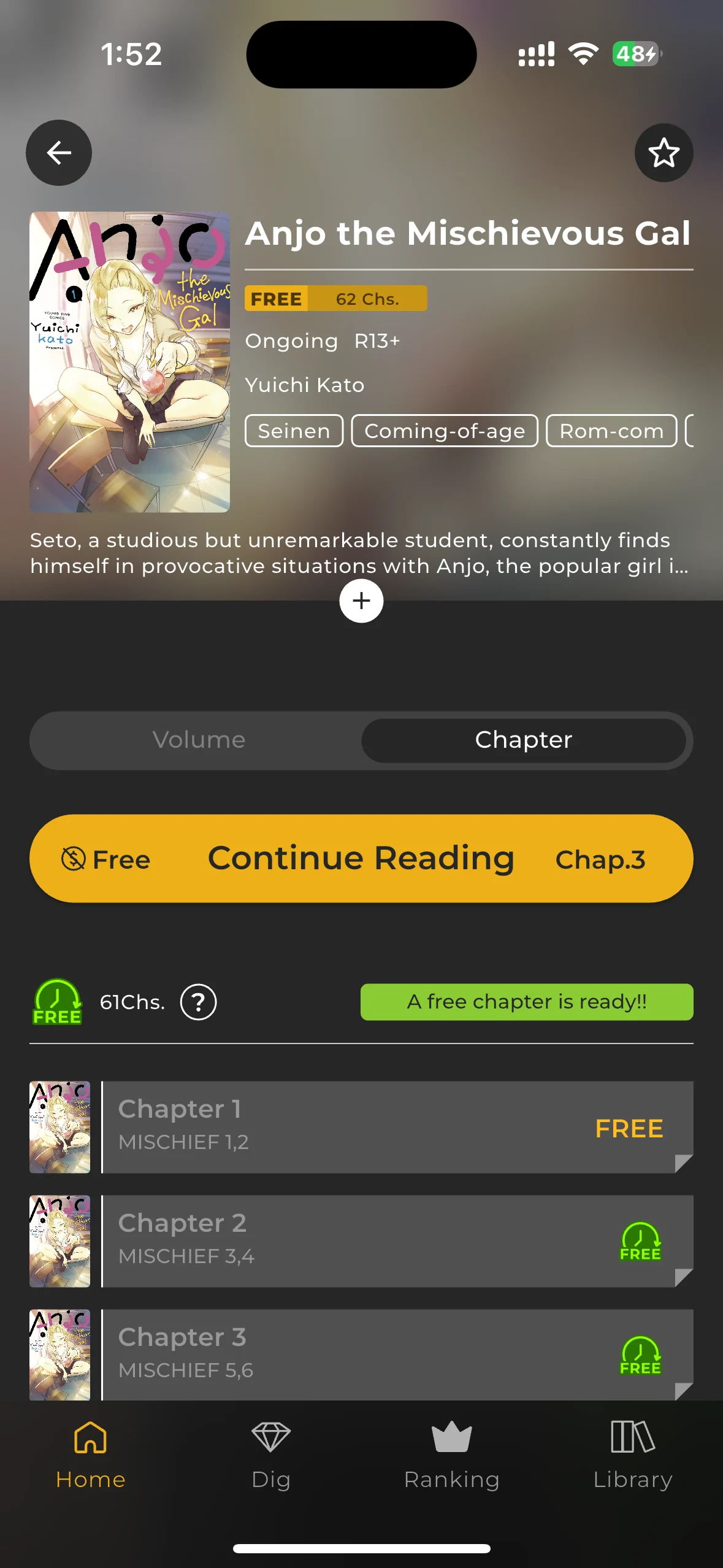
1. Tap on a comic that interests you
2. Look for chapters with **"Wait Until Free"** icons displayed
### Step 2: Choose a chapter to unlock
1. Tap on a comic that interests you
2. Look for chapters with **"Wait Until Free"** icons displayed
 ### Step 3: Unlock the chapter
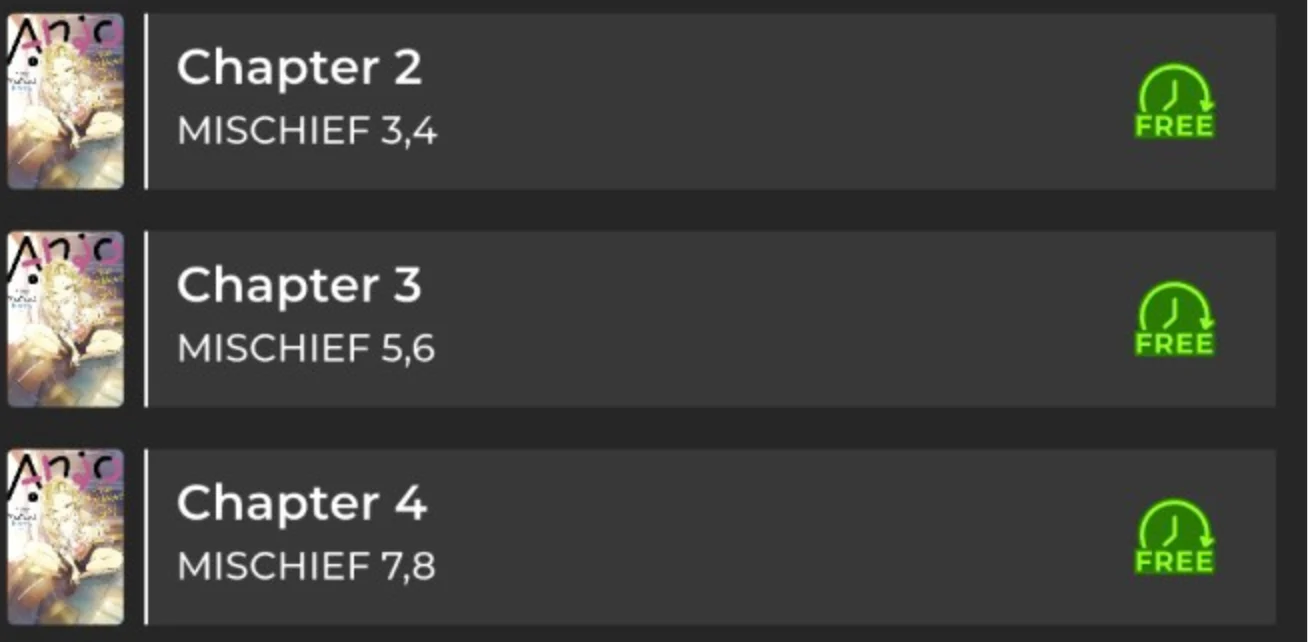
1. Tap the **"Wait Until Free"** icon button to unlock
2. The chapter will unlock immediately if the wait time is over
* Note: If there's still wait time remaining, you'll need to wait until the timer reaches zero
### Step 3: Unlock the chapter
1. Tap the **"Wait Until Free"** icon button to unlock
2. The chapter will unlock immediately if the wait time is over
* Note: If there's still wait time remaining, you'll need to wait until the timer reaches zero
 ### Step 4: Read the unlocked chapter
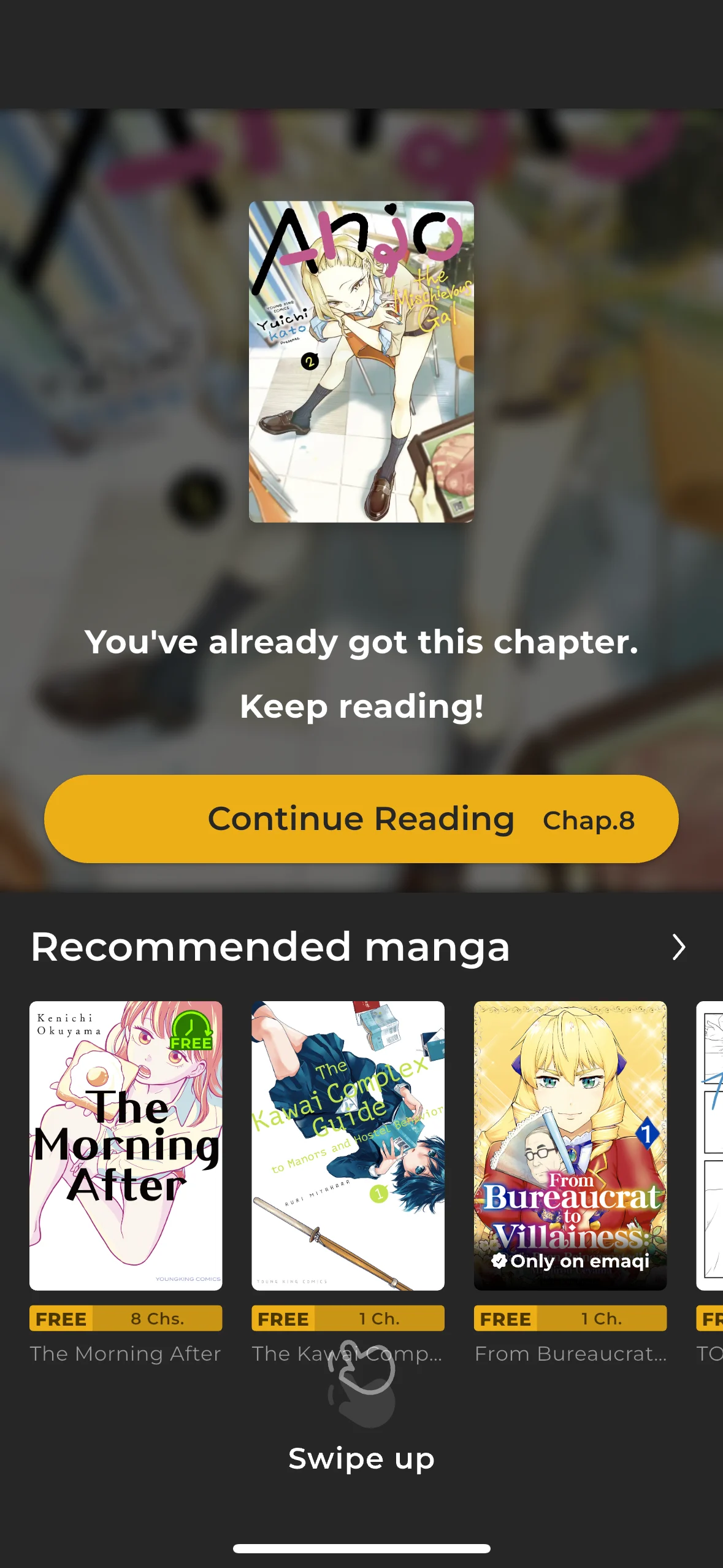
1. Read the unlocked chapter
### Step 4: Read the unlocked chapter
1. Read the unlocked chapter
 ## Common questions
**Q: What is "Wait Until Free"?** A: It's a feature that lets you read one premium chapter per series every 23 hours for free.
**Q: How do I know when a chapter is ready to unlock?** A: Look for "A free chapter is ready!!" displayed on the comic details screen, or active "Wait Until Free" buttons for chapters.
**Q: What if all chapters still have wait times?** A: Check back later when the timers expire, or look for different comics that might have chapters ready to unlock.
**Q: Can I unlock multiple chapters at once?** A: No, you can only unlock one chapter per series every 23 hours. However, you can unlock chapters from multiple different series simultaneously.
## Next steps
Once you complete this mission:
* Your 20 Coins will be added to your account
* Try other missions too
* Continue following the story you just unlocked!
**Need more help?** Visit our [emaqi Help Center](/app/support/contact-support) for additional support.
## Common questions
**Q: What is "Wait Until Free"?** A: It's a feature that lets you read one premium chapter per series every 23 hours for free.
**Q: How do I know when a chapter is ready to unlock?** A: Look for "A free chapter is ready!!" displayed on the comic details screen, or active "Wait Until Free" buttons for chapters.
**Q: What if all chapters still have wait times?** A: Check back later when the timers expire, or look for different comics that might have chapters ready to unlock.
**Q: Can I unlock multiple chapters at once?** A: No, you can only unlock one chapter per series every 23 hours. However, you can unlock chapters from multiple different series simultaneously.
## Next steps
Once you complete this mission:
* Your 20 Coins will be added to your account
* Try other missions too
* Continue following the story you just unlocked!
**Need more help?** Visit our [emaqi Help Center](/app/support/contact-support) for additional support.