
What are badges?
There is a badge for each genre, such as Romance, Comedy, and Fantasy. Each badge features a character from a series in that genre. When you unlock a badge, you also get bonus coins.How to earn a badge
Read 3 different titles in the same genre to unlock that genre’s badge. Any title you start reading counts, whether you read it with coins, with emaqi premium, or as a free preview. Open a badge’s details to see how many titles you’ve read in that genre and how many more you need. Tap Browse [genre] titles to find titles that count toward the badge.Only titles you start reading after badges were introduced count toward a badge. Your earlier reading history isn’t included.
Where to see your badges
1
Open your Profile
Tap Home in the bottom menu, then tap Profile in the icon row below the featured titles.
2
Check the Badges section
All badges appear here. Badges you haven’t unlocked yet are dimmed and show a lock icon. Tap any badge to see its details.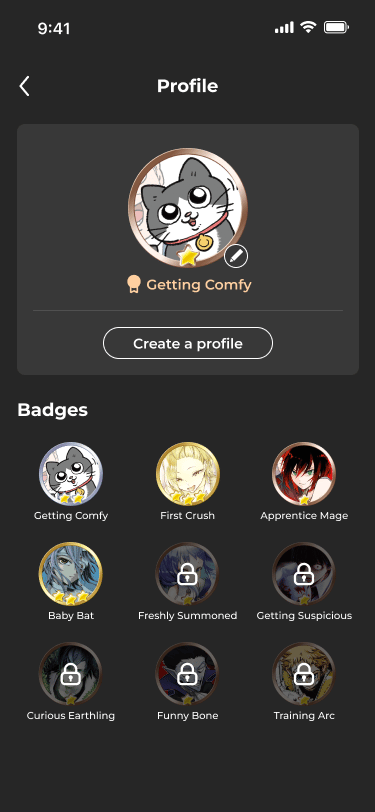
Setting a badge as your profile icon
1
Tap the edit icon on your avatar
On your Profile, tap the edit icon next to your avatar to open Choose a badge.
2
Choose a badge
Tap a badge you’ve unlocked.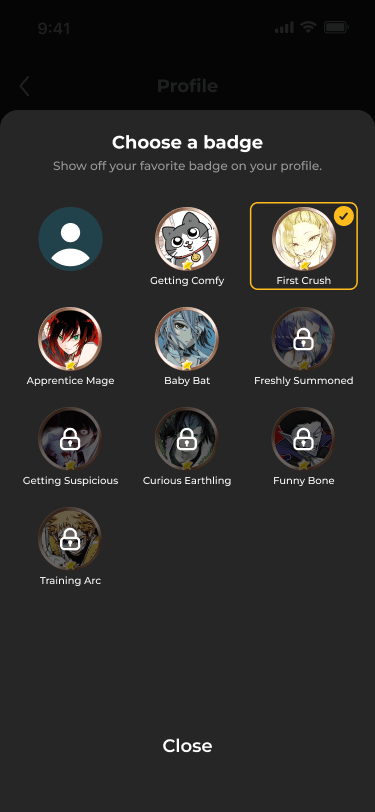
3
Tap Set as Profile Icon
Your badge becomes your icon in the app header, on My Page, and next to your comments.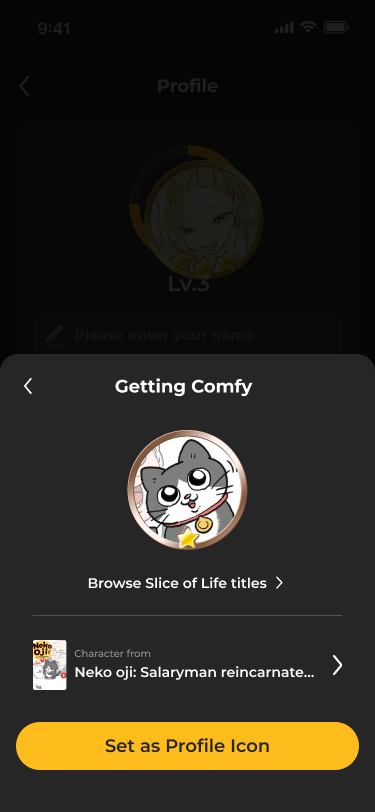
When you unlock a badge
A popup appears on the Home screen when you unlock a badge. Tap Set as Profile Icon to use it right away, or Close to decide later. You’ll also see it in your notifications.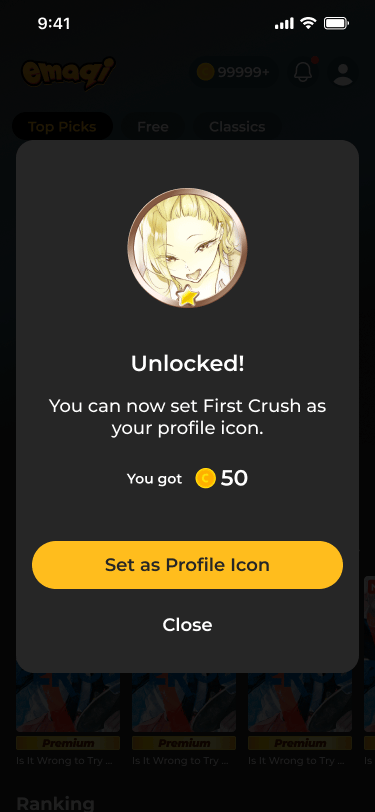
FAQ
- Q: I read 3 titles but didn’t get a badge. Why?
- A: Make sure the 3 titles are in the same genre and that you started reading them after badges were introduced. You can check your progress in the badge details.
- Q: Can I lose a badge?
- A: No. Once you unlock a badge, it’s yours to keep.
- Q: Can other readers see my badges?
- A: Yes. Your profile icon appears next to your comments, and other readers can see the badges you’ve earned on your profile.
- Q: Do the bonus coins expire?
- A: Bonus coins from badges follow the same rules as other free coins. For details, see Managing coins.